A framework for
building TUIs in Rust
tui-pages gives you full UX you would ever need. Stop rewriting the same architecture for every project.
cargo add tui-pages
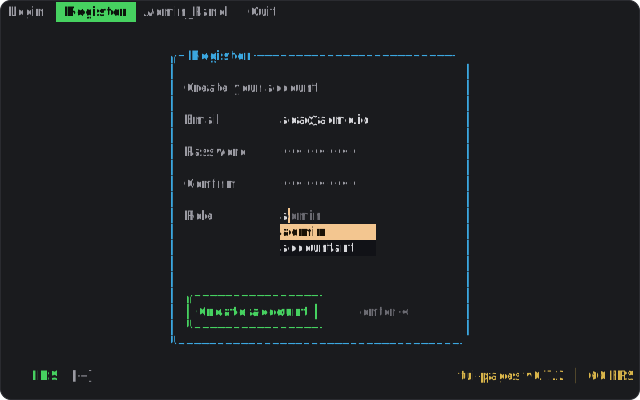
examples/default · cargo run
- Version
- 0.7.2
- License
- MIT
- Features
- 3 opt-in
- Renderers
- agnostic
What's inside
Everything a multi-page TUI needs,
already wired up.
The crate separates the framework from your pages. You assign element IDs to a list, the framework handles the rest: focus, movement, keymaps, modal dialogs, and page navigation.
Focus Manager
One global focus model. Be dumb — tell the manager what to focus, don't do it yourself. The system inside it handles library-vs-page focus conflicts.
Input Pipeline
Map type-safe Command::Save to a key chord. KeyEvents are flushed into the pipeline; you never write key matching by hand.
Page Navigation
Pages are first-class. Move between them, swap state, render any way you want. The runtime stays out of your way.
Default Keymaps
Vim-style j k gg movement and VS Code-style navigation come pre-wired. Override or extend per page.
Canvas integration
One feature flag. Enables GUI renderers, suggestions, cursor style, validation, computed fields, textareas, text inputs, and a canvas-owned keymap.
Modal Dialog
Built-in dialog with content and result types plus a ratatui renderer. Enable it, write the content, you're done.
How it works
A primitive list, a pipeline,
and an executor.
Imagine 0..n element IDs. You're at ID 1 and want to move next, so you go to 2. That's the whole abstraction. Everything else is built on top of it.
-
01
KeyEvent
A key binding like
"ctrl+s"or a plain letter is flushed into the input pipeline. -
02
InputPipeline
Maps a key chord to a type-safe
Command::Save. -
03
Orchestrator
Decides where the request goes.
j→Movement::Down→ FocusManager. -
04
Executor
Calls the page's function. Login page logs you in. The page owns its own logic.
Show me the code
Three lines of focus, three lines of pages.
Define a page with an element list, register keymaps, run the loop. The framework handles focus, movement, and routing.
use tui_pages::prelude::*;

fn main() -> Result<(), Box<dyn std::error::Error>> {
    // 1. Build the runtime with default keymaps and a terminal.
    let mut rt = Runtime::new(Terminal::default())?;

    // 2. Register pages. Each page owns its own focus list and logic.
    rt.register_page("login",   pages::login::build());
    rt.register_page("home",    pages::home::build());
    rt.register_page("settings",pages::settings::build());

    // 3. Run the main loop. Framework handles focus, movement, and routing.
    rt.run()
}
[package]
name = "my-tui"
version = "0.1.0"
edition = "2021"

[dependencies]
tui-pages  = "0.7"
ratatui    = "0.29"   # only if you enable the `canvas` or `dialog` feature
crossterm  = "0.28"

# Pick what you need:
# tui-pages = { version = "0.7", features = ["canvas"] }  # +ratatui, GUI surfaces
# tui-pages = { version = "0.7", features = ["dialog"] }  # +ratatui, built-in dialog
# tui-pages = { version = "0.7", features = ["serde"] }   # +serde on input/mode types
use tui_pages::prelude::*;

/// A page is just a focus list + a render fn + an executor.
pub fn build() -> Page {
    Page::new("login", render, executor)
        // Elements are 0..n. The framework moves through them for you.
        .with_elements(|s| s
            .input("username")
            .input("password")
            .button("submit"))
        .with_focus(0)
}

fn render(f: &mut Frame, area: Rect, focus: &Focus) {
    // Your ratatui render. The focus index is handed to you.
    let focused = focus.current();
    // ... draw inputs and the button, highlight `focused`
}

fn executor(cmd: Command, focus: &mut Focus, state: &mut State) -> Outcome {
    match cmd {
        Command::Submit => state.navigate("home"),
        _ => Outcome::Next,
    }
}
use tui_pages::prelude::*;

/// Map key chords to type-safe commands. Override defaults or add your own.
pub fn keymaps() -> KeyMap {
    KeyMap::new()
        .bind("j",     Command::Move(Movement::Down))
        .bind("k",     Command::Move(Movement::Up))
        .bind("gg",    Command::Move(Movement::Top))
        .bind("G",     Command::Move(Movement::Bottom))
        .bind("enter", Command::Submit)
        .bind("ctrl+s", Command::Save)
        .bind("?",     Command::OpenDialog(Dialog::Keybindings))
        .bind("q",     Command::Quit)
}
Examples
Rich examples.
Each one is a simple cargo run away. Read the source, run it, copy it.
examples/default
basicA multi-page app with a focusable list, page navigation, and quit. The minimal end-to-end example.
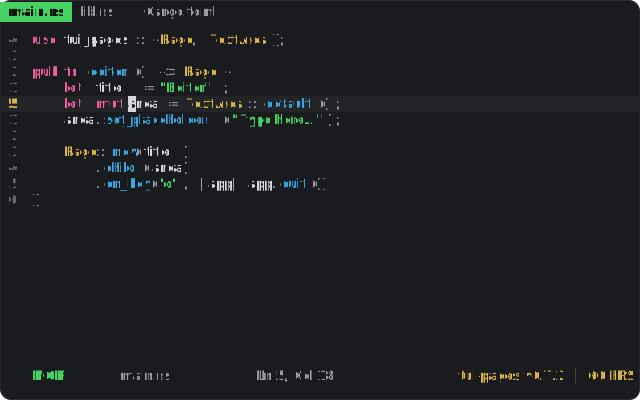
examples/canvas
canvasLogin form with validated inputs, a submit button, and a canvas-owned keymap. Enable the canvas feature.
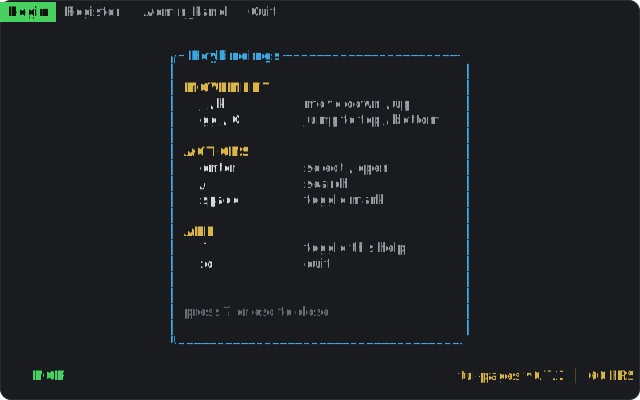
examples/keybindings
dialogA modal showing all keybindings, opened with ?. Demonstrates the built-in dialog feature.
Why
The architecture you've already written, generalized.
// what most TUI code looks like
let mut app = App::new();
loop {
    app.handle_event(event);
    app.focus.update();
    app.ui.draw(&mut app);
    // shared &mut references
    // everywhere
    // god object strikes again
}
// what tui-pages looks like
let mut rt = Runtime::new(terminal)?;
rt.register_page("home",    pages::home::build());
rt.register_page("login",   pages::login::build());
rt.register_page("settings",pages::settings::build());
rt.run()  // framework handles the rest
Build your first TUI page
in the next five minutes.
The book walks you from cargo new to a working multi-page app. Or read the API reference and dive in.